Where Is the Pound Key on Your Phone? the Simple Symbol Everyone Mistypes
 By David Miller
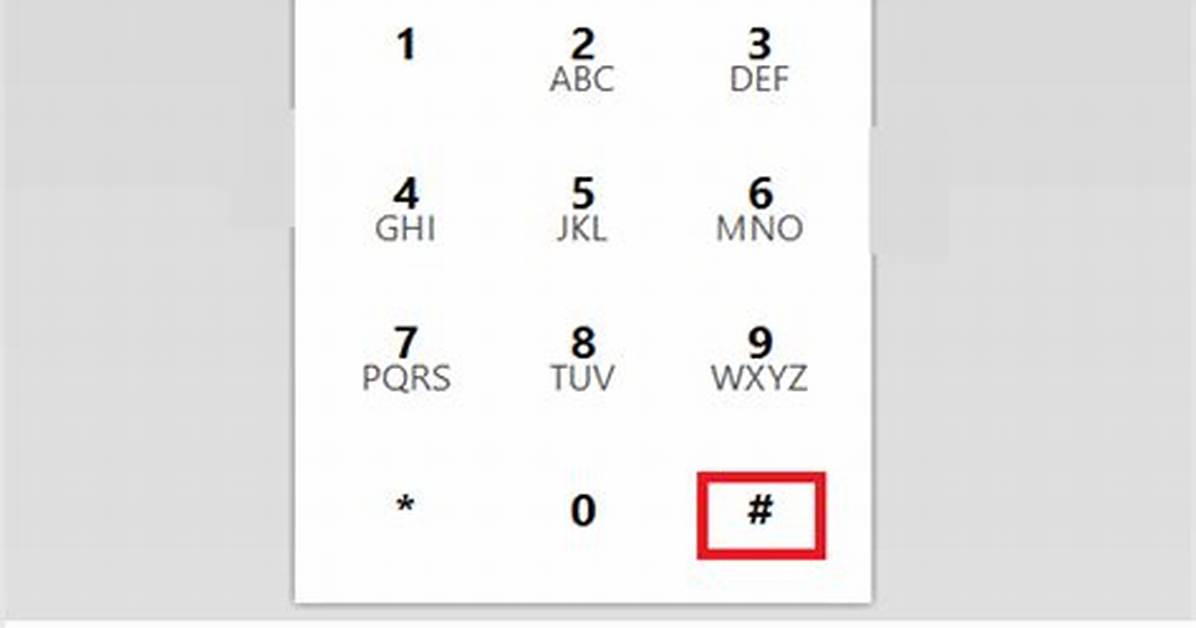
On any standard touch-tone phone keypad, the layout follows an internationally standardized matrix defined by the International Telecommunication Union in 1968. Twelve primary buttons form a symmetrical grid: numbers 1 through 9 run in three sequential rows, followed by a bottom row containing the star key asterisk (*) on the left, the zero (0) in the middle, and the pound key (#) on the right.
Locating the button during an ongoing conversation often introduces an unexpected physical hurdle. If you take your smartphone away from your face to look for the dial pad symbol, the screen may remain completely black. Proximity sensors placed near the top speaker disable the display to prevent your cheek from accidentally triggering buttons. Moving the device slightly forward wakes the screen. If the display shows the call options panel instead of numbers, tap the circular icon labeled Keypad on iOS or Dialpad on Android to bring up the numerical grid immediately.
Once visible, the key you need is unmistakably parked in the lower-right corner. It sits directly beneath the 9 key and directly to the right of the 0 key. Tapping this single icon sends the necessary confirmation frequency down the line, telling the system that your input is complete.
David Miller brings 15 years of experience in global economics, personal finance strategy, and market dynamics. He specializes in turning complex economic trends into actionable insights for everyday readers.
