Smartphone Yellow Screen Issue Surges: Immediate Fixes for Android and iOS
 By Robert Thorne
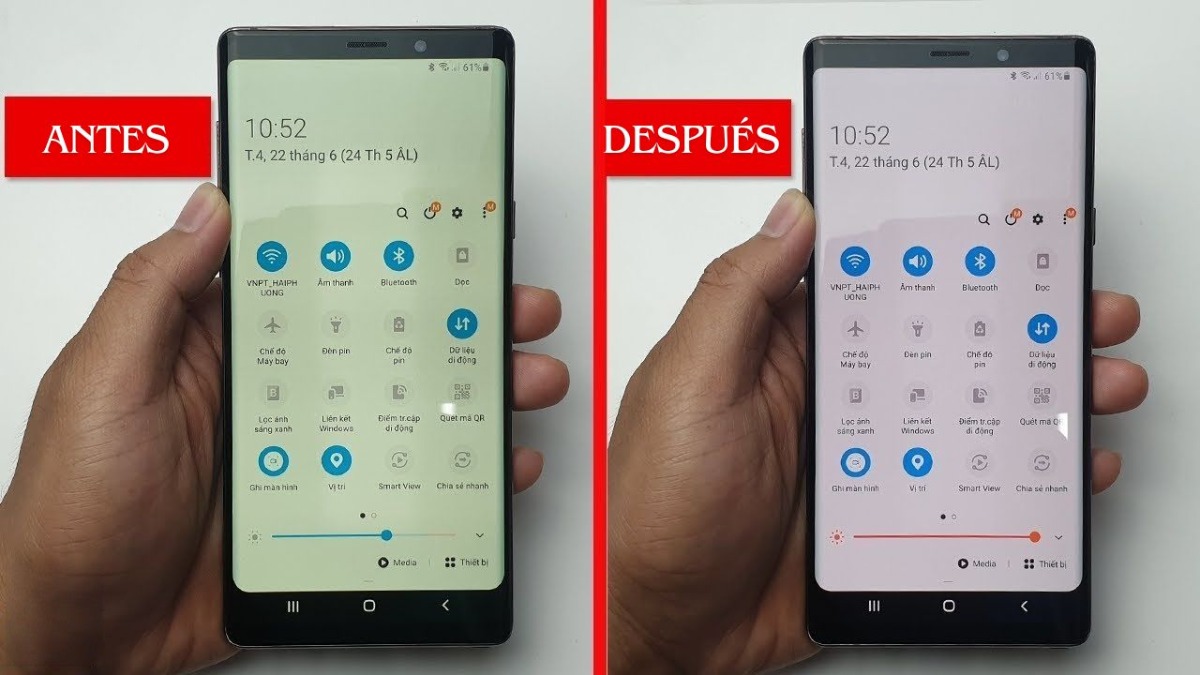
Apple displays utilize multi-channel ambient light sensors to dynamically read ambient lighting conditions. In a room lit by incandescent 2,700K bulbs, an iPhone running True Tone will deliberately warm the display to match the surrounding environment, making the glass blend with the room. However, when those ambient sensors gather lint or suffer minor firmware stalls, the phone stays locked in warm mode indefinitely.
To execute an iPhone Night Shift fix and reset environmental sensors, follow this exact sequence:
Open Settings > Display & Brightness. Locate True Tone and toggle it off. If the screen immediately snaps back to a cool, crisp white, your ambient light sensor was either overcompensating for indoor lighting or malfunctioning. Keep True Tone disabled for 48 hours to assess consistency. Right below True Tone, tap Night Shift. Verify that both "Scheduled" and "Manually Enable Until Tomorrow" are disabled. If a schedule was active, delete it.
If the display remains stubbornly sepia, check iOS Color Filters. Navigate to Settings > Accessibility > Display & Text Size > Color Filters. If enabled, tap the switch to turn it off. Many users who unknowingly inherit pre-owned devices or hand-me-down iPhones discover that a previous owner enabled a custom yellow-reducing or color-tinting filter, which skews standard panel temperatures permanently.
| Diagnosis Category | Root Cause | Identifying Symptom | Repair Cost & Timeline |
|---|---|---|---|
| System Setting | Night Light, Night Shift, or Eye Comfort Shield automation | Uniform amber tint across entire glass; activates at sunset | $0; resolved in under 2 minutes |
| Sensor Glitch | Obstructed True Tone or ambient light diode array | Tint shifts erratically; panel fails to read daylight accurately | $0 (cleaning/toggle) to $89 (sensor flex replacement) |
| AMOLED Degradation | Organic blue subpixel decay; OLED screen burn-in | Uneven yellowing; ghosting around status bar and navigation icons | $150, $340 (full panel assembly replacement) |
| LCD Backlight Failure | Edge-lit LED phosphor degradation or optical glue scorch | Yellow blotches around display edges or corners; dim output | $65, $140 (digitizer and backlight replacement) |
Robert Thorne covers electric vehicle innovations, autonomous driving systems, global mobility trends, and automotive engineering developments.
