Lines on Your Macbook Screen? Why It Might Cost Less to Fix Than You Think
 By James H. Sterling
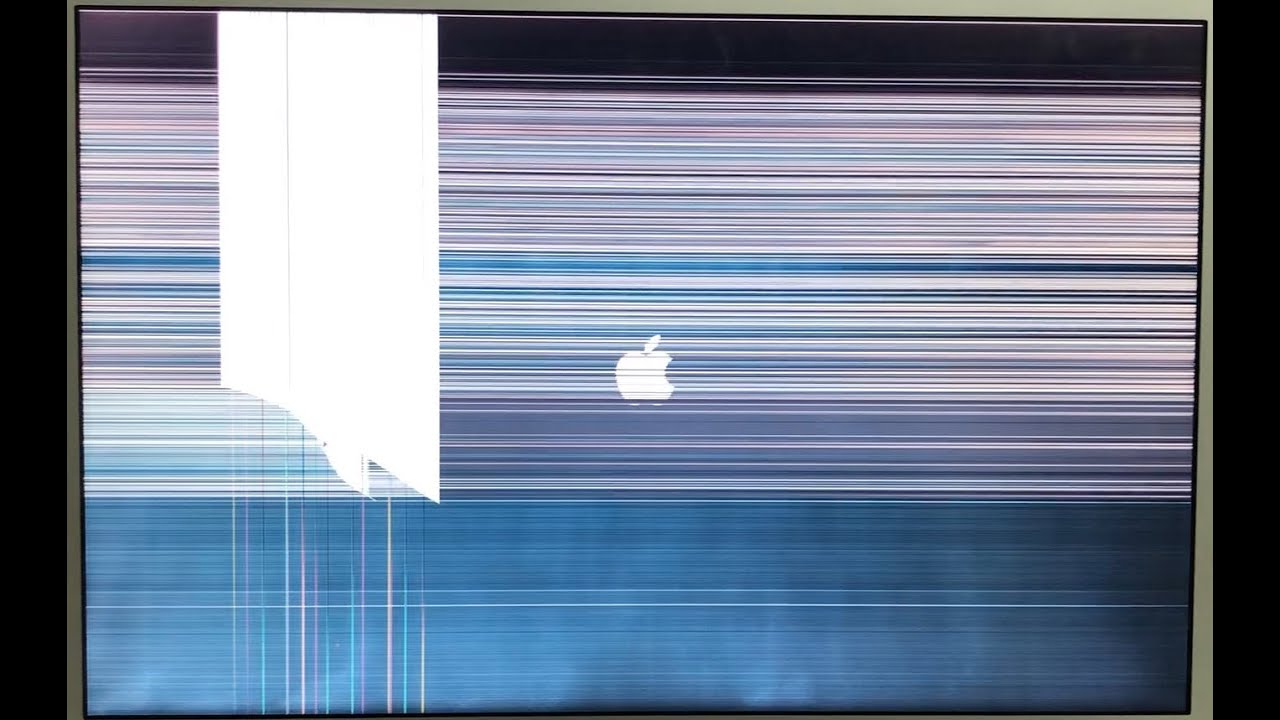
Before agreeing to an expensive repair estimate, isolate the failure path using basic software and hardware diagnostics. Plug your MacBook into an external monitor or television via USB-C or HDMI. If the secondary screen mirrors the exact same vertical streaks or visual noise, the physical display panel is entirely innocent. That outcome signals system-level GPU artifacting or corrupted display buffer memory, which occasionally resolves after an operating system reinstall or firmware recovery.
On older Intel MacBooks, performing an NVRAM reset clears cached display timing tables and resolution handshake profiles that can freeze the screen output in garbled states. While Apple Silicon models handle NVRAM resets automatically on restart, running Apple Diagnostics (holding the Power button from a cold shutdown until startup options appear, then pressing Command-D) checks for internal sensor and GPU anomalies. If the external display image looks crystal clear while the laptop screen remains distorted, the problem is definitively isolated between the motherboard’s eDP connector, the hinge ribbon, and the LCD glass.
Test the display’s physical range of motion next. Slowly tilt the screen back and forth between a 45-degree angle and a wide 130-degree tilt while watching the lines. If the streaks disappear, shift color, or turn into solid black bars at specific angles, your panel glass is intact. You are looking at a classic display flex cable failure, a fatigue-related wear pattern that independent shops can service without discarding your original factory panel.
James Sterling reports on renewable energy developments, climate policy, ecological conservation, and green tech innovations around the globe.
